
Features
Everything here is in the free download. Setting up DIY boards and DIY displays takes a key, which you can get free, or pay what it's worth to you. Invictus hardware never needs one.
Boards
Two ways to connect panels: AIM boards over the cockpit network, and your own DIY boards over USB. Mix them freely.
AIM boards
Sidewinder (46 GPIO pins, 8 potentiometer channels, 2 I2C and 2 SPI channels) and Phoenix (16 GPIO pins, 8 I2C channels). One Ethernet cable each, from an 802.3at PoE switch, carries data and power. No drivers, and never a key.
DIY boards
Raspberry Pi Pico, Arduino Nano, Uno, Pro Mini, Mega 2560, Pro Micro, Leonardo and Micro, Teensy 4.0, 4.1, 3.1, 3.2 and LC, ESP32 and ESP32-S3 boards. Clones work: go by the chip on the board.
Firmware from the app
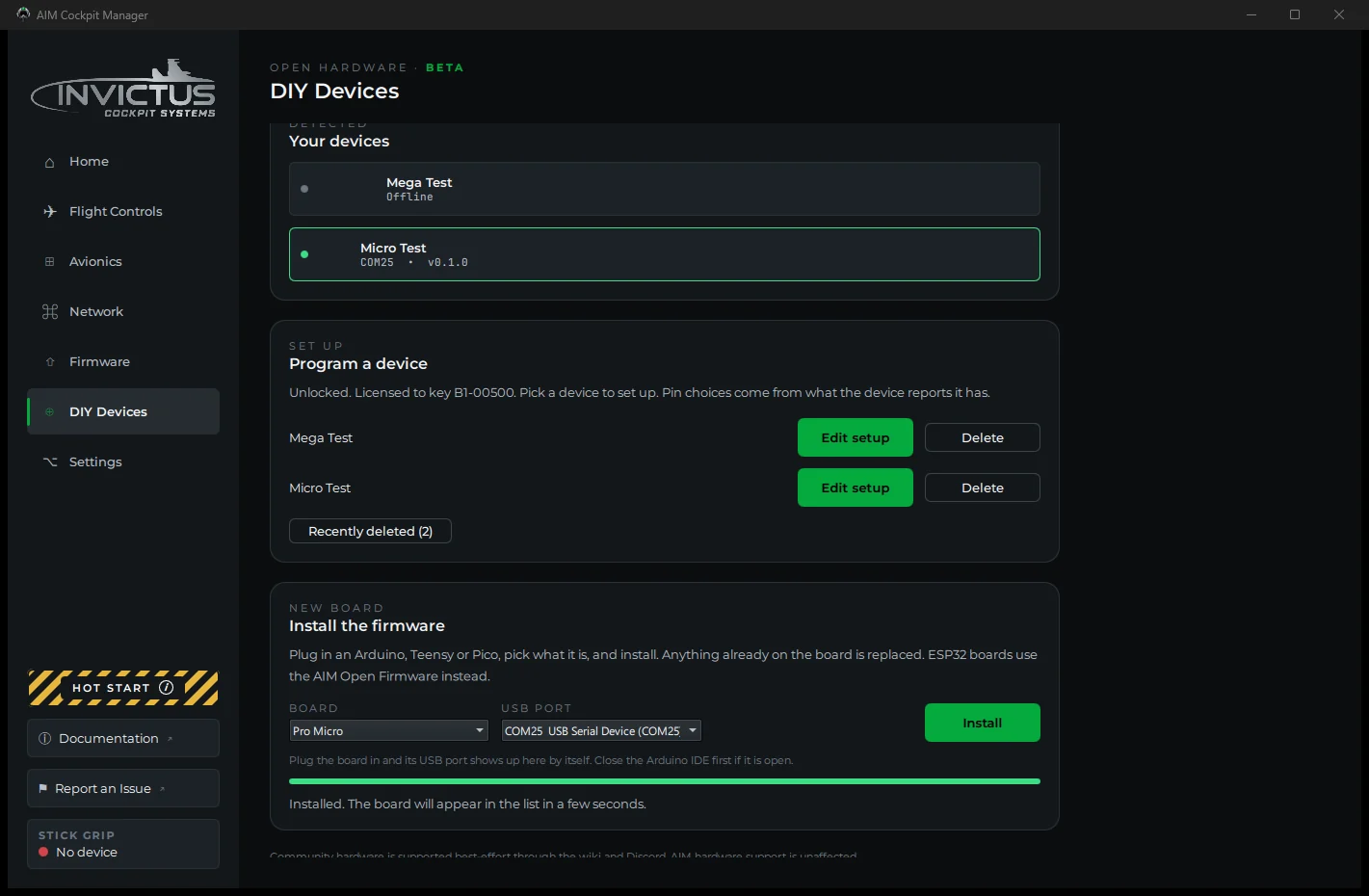
The manager installs its firmware on a DIY board over USB, and updates AIM board firmware over the network. No IDE, no file to find.
Wiring
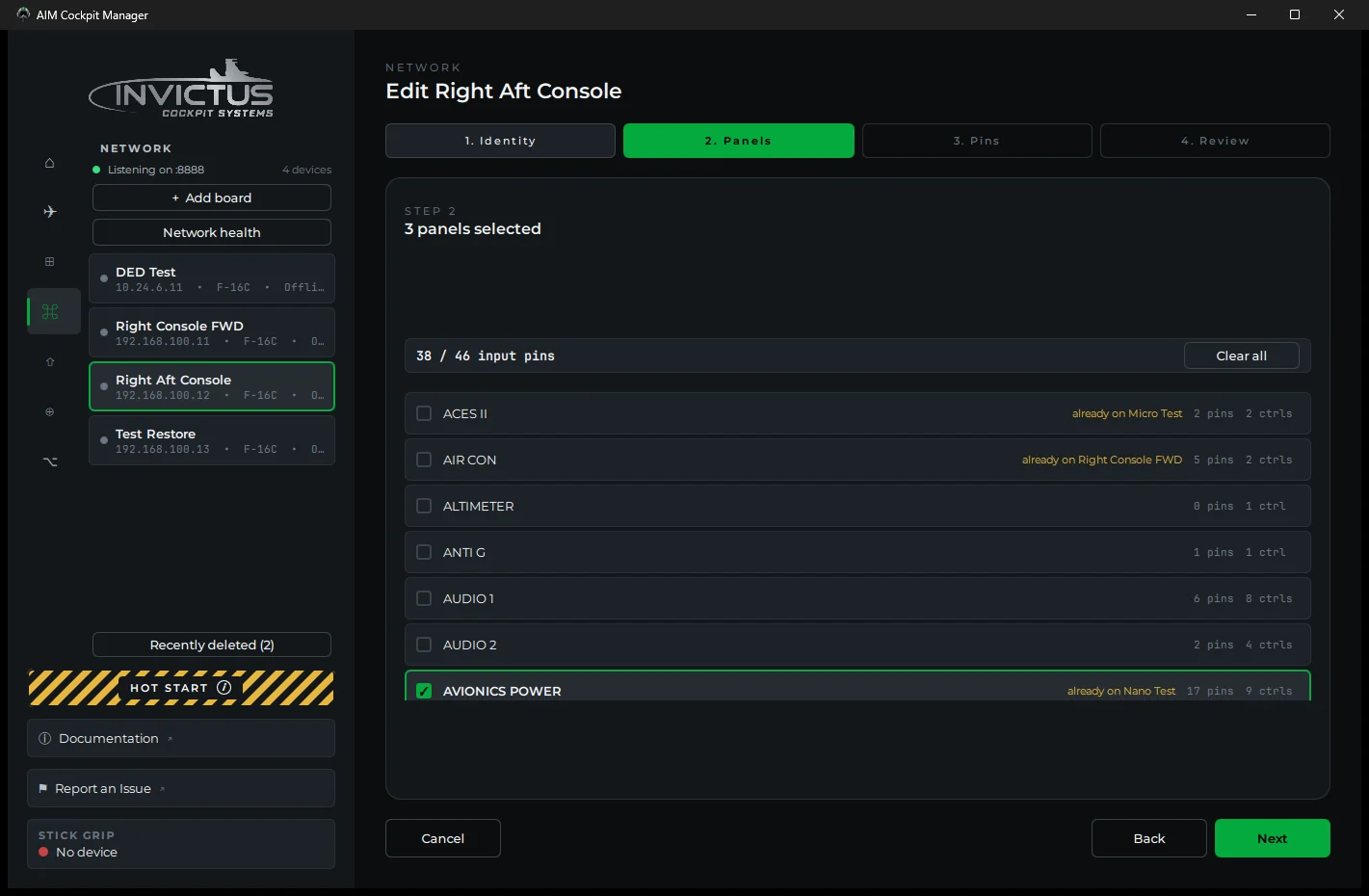
The same setup wizard for every board: name it, tick its panels, assign the pins, review and save.
Assign or learn
Pick a pin for each switch, knob and pot, or use learn mode: click Learn on a control, move it on the panel, and the manager records the pin that moved.
Test it live
Console Panels shows every control with its wiring and live state, with no round trips to the sim. Lamps have a test of their own.
Fewer pins
Wire a rotary switch through a resistor ladder to one analog input, or use a rotary encoder in place of a pot. The sim still sees a pot.
Backlights
Give a panel backlight a pin that can dim, and one slider dims every panel together.
Export the pinout
A printable reference of every pin assignment, for the day you trace a wire months after the cockpit was built.
Instruments
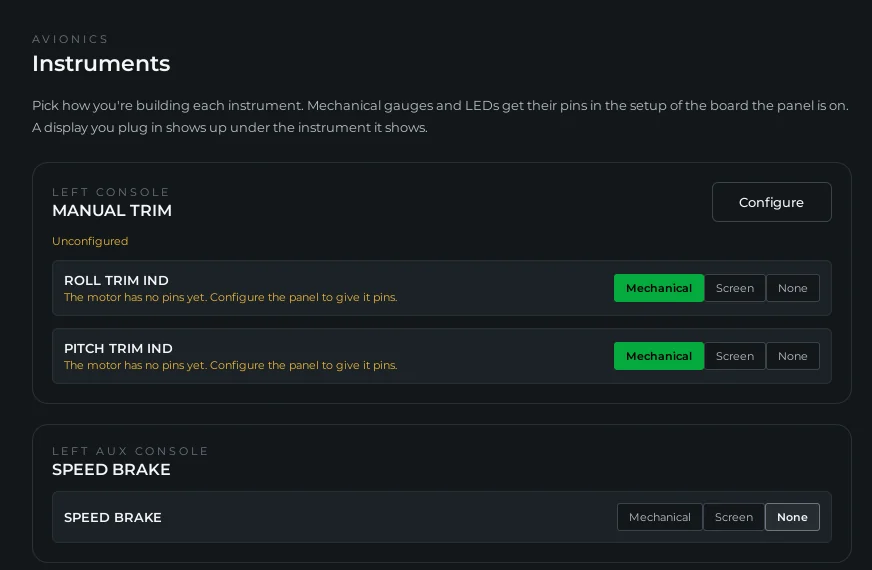
One page lists every gauge and screen of your airframe, and how each one is built: Mechanical, Screen, LED or None.
Real gauge needles
An AIM board drives an X27.168 gauge stepper. A DIY board can also drive a 28BYJ-48 on a ULN2003, a STEP and DIR stepper driver, or a hobby servo. Calibrate each needle to its dial.
Caution panel and lamps
Indicator lights and the caution panel follow the sim. On an Arduino, Teensy or Pico, one MAX7219 can run the whole caution panel, or a lamp matrix of up to four chips.
UHF readouts
The UHF channel and frequency readouts on a MAX7219 module or on TM1637 modules.
Cockpit screens
Small screens on USB display boards, and the big displays on extra monitors.
DED, PFLD and FFI on USB
An ESP32-S2 Mini or ESP32-S3 Super Mini runs one screen: a DED or PFLD on a 3.12 inch SSD1322 OLED, or the fuel flow indicator on a 1.3 inch SH1106 OLED. It shows the same thing the cockpit does.
Align with the bezel
Align makes the picture bigger or smaller and moves it, so it sits in your bezel or data plate. The display keeps the setting.
Invictus displays
Displays from Invictus are signed at the factory and work as soon as they are plugged in.
AIM Displays in DCS
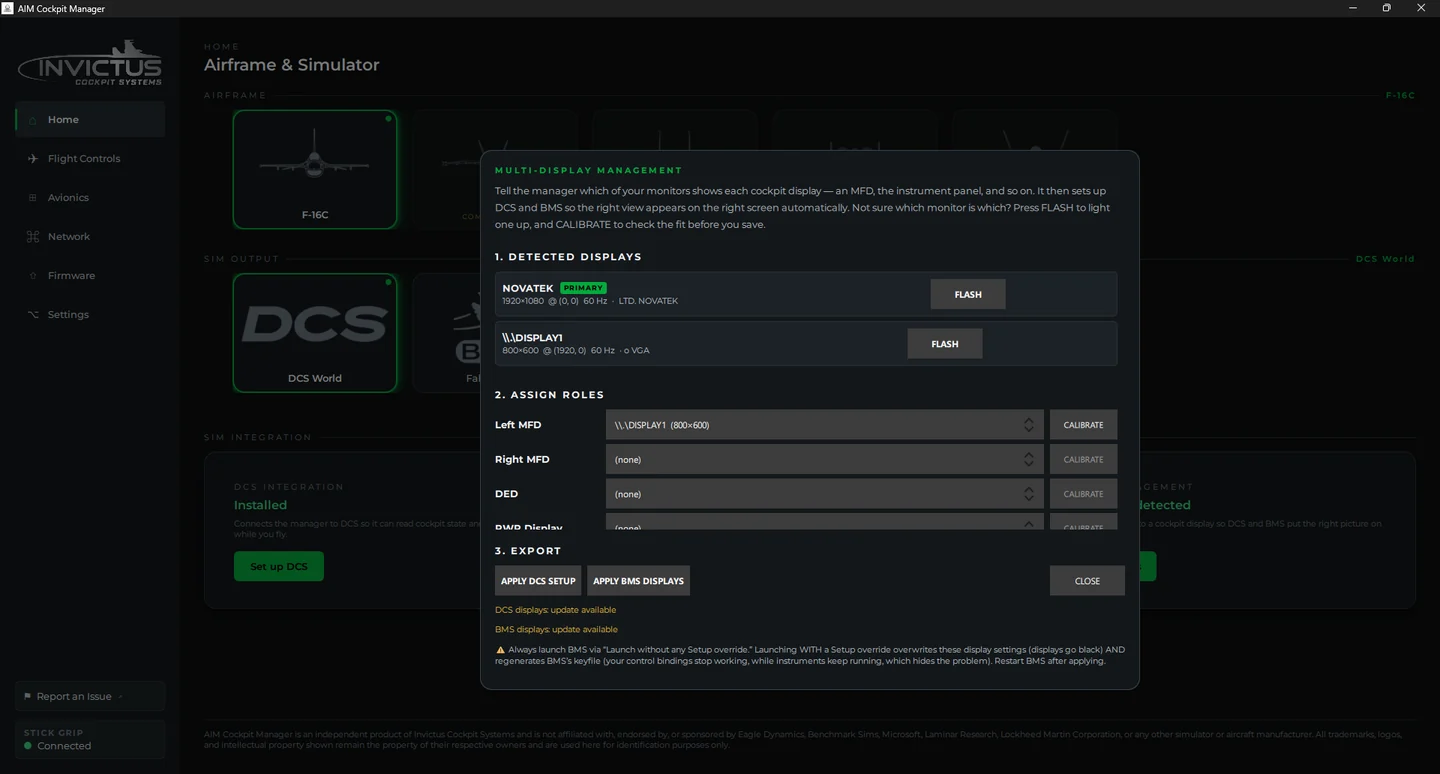
Assign each extra monitor a role (left and right MFD, DED, RWR, EHSI, HUD repeat), nudge each view into place, and apply. Then pick AIM Displays in DCS. Works in VR too.
Simulators and updates
DCS World is the primary and most complete integration. Falcon BMS is fully supported for the F-16C.
DCS World
The manager installs the integration itself. Load into the airframe you picked on the Home page and it starts on its own.
Falcon BMS
The manager installs the AIM Ghost Joystick virtual driver, creates the devices the airframe needs, and writes a keyfile that maps every cockpit control. Cockpit displays go on extra monitors in BMS too.
Stays current
The manager updates itself, and your AIM board firmware over the air. The F-16C is supported today; the A-10C is coming soon.